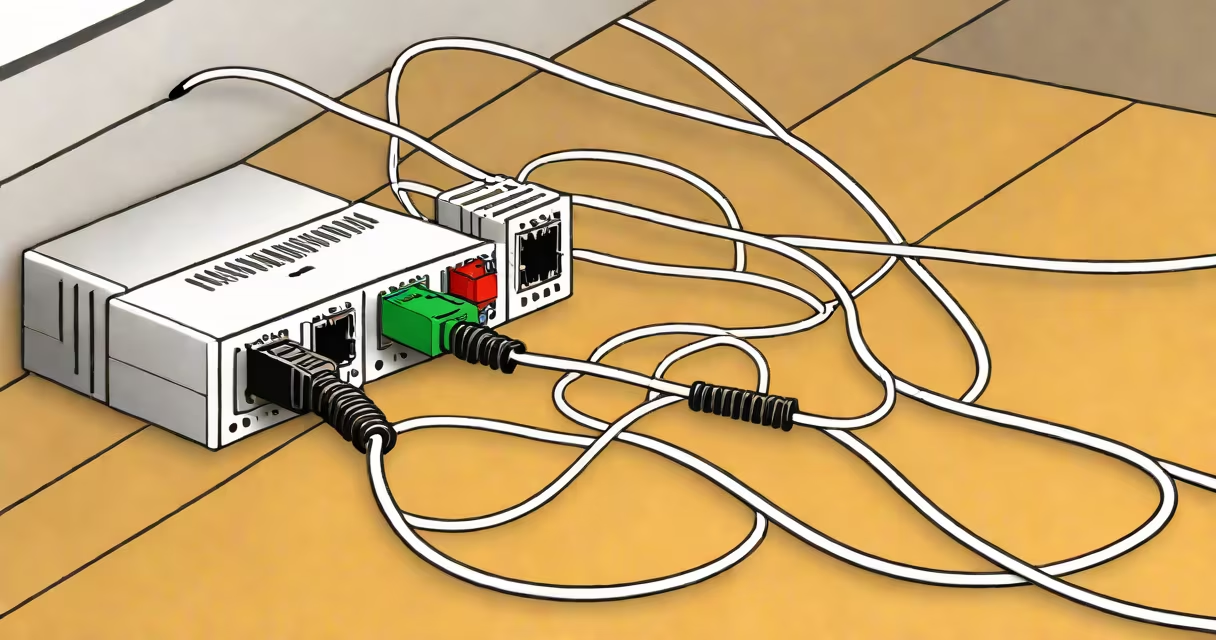
A cat 5 extension cable is a twisted-pair Ethernet cable designed to extend network connections between devices such as computers, routers, and switches. It uses eight insulated copper wires arranged in four pairs, twisted to reduce crosstalk and electromagnetic interference. The cable terminates in rj45 connectors on both ends and supports data transfer rates up to 1 Gbps at frequencies up to 100 MHz.
These cables are commonly used in residential and small business networks. They connect desktops to wall jacks, link switches to routers, or extend a network across rooms. Cat 5 cables are standardized under the TIA/EIA-568-B specification, which defines pinout configurations and performance thresholds. They are not rated for high-frequency applications beyond 100 MHz, limiting their use in environments requiring higher bandwidth.
While cat 5 cables were once standard, most modern installations use cat 5e or cat 6 variants due to improved performance. Cat 5e adds enhanced shielding and tighter twist rates to reduce crosstalk, allowing for consistent 1 Gbps performance over longer distances. Cat 5 extension cables remain functional for basic networking tasks but are less suitable for high-demand applications like video streaming or large file transfers.
Cat 5 extension cables transmit data using differential signaling across four twisted pairs. Each pair handles a direction of data flow-two pairs send data, two receive. This configuration enables full-duplex communication, meaning devices can send and receive simultaneously without interference. The cable's performance depends on wire gauge, twist rate, and insulation quality.
Signal integrity degrades over distance due to attenuation and noise. For cat 5 cables, maximum recommended length is 100 meters (328 feet). Beyond that, data loss increases. Most installations use shorter runs-typically 5 to 15 meters-to maintain stable connections. When a run exceeds 100 meters, signal repeaters or switches are required to regenerate the signal.
Proper termination is critical. The rj45 connector must align with the correct pinout. Two standards exist: T568A and T568B. Using mismatched standards between ends creates a crossover cable, which can cause connectivity issues unless intentionally used. Most networks rely on straight-through cables (same standard on both ends) for connecting different device types.
There are two primary versions of cat 5 extension cables: unshielded twisted pair (UTP) and shielded twisted pair (STP). UTP is the most common, used in typical home and office environments. STP includes a foil or braided shield around the twisted pairs to reduce electromagnetic interference, making it better suited for industrial settings or areas with heavy electrical noise.
| Type | Shielding | Max Speed | Use Case |
|---|---|---|---|
| cat 5 UTP | None | 1 Gbps | Home networks, basic office setups |
| cat 5 STP | Foil or braid | 1 Gbps | High-noise environments, industrial zones |
| cat 5e | Minimal (often UTP) | 1 Gbps | Modern home and office networks |
Performance is measured in categories defined by the Telecommunications Industry Association (TIA). Cat 5 meets Category 5 requirements, including near-end crosstalk (NEXT) and return loss. These values ensure reliable transmission within specified limits. A cable failing these tests may not support consistent 1 Gbps speeds, even if it appears functional.
Home users often deploy cat 5 extension cables to connect a gaming console to a router, extend Wi-Fi coverage via a wired access point, or link a smart TV to a network switch. In offices, they connect workstations to patch panels or link servers to switches. A typical setup involves plugging one end into a wall jack and the other into a computer's network port.
For example, a small business with five employees uses a single cat 5 extension cable to connect a desktop computer to a wall outlet. The cable runs 8 meters through a drop ceiling. The connection achieves 980 Mbps throughput during a speed test, confirming compliance with cat 5 performance standards. However, when the same cable is used to connect a video conferencing system, latency spikes due to background noise from nearby fluorescent lighting-indicating a need for shielded cabling in that location.
Many people assume cat 5 cables are interchangeable with cat 6. This is incorrect. Cat 6 cables have tighter twist rates, higher minimum bend radius, and stricter crosstalk suppression. While a cat 5 extension cable may physically fit a cat 6 port, it cannot deliver the same performance. Using cat 5 in a cat 6-rated environment risks bottlenecks and dropped packets.
Some users mistake cat 5 extension cables for power cables or audio cables. Unlike power cables, which carry voltage, cat 5 cables transmit low-voltage digital signals. They do not supply power to devices, though Power over Ethernet (PoE) can be delivered over them when supported by the equipment. PoE requires specific cabling and powered switches, not just any cat 5 cable.
Another confusion arises with cat 3 cables. Cat 3 was designed for voice and low-speed data (up to 10 Mbps) and lacks the shielding and twist density needed for modern networks. A cat 3 cable cannot reliably support 1 Gbps traffic. Installing a cat 3 cable in place of a cat 5 extension cable results in frequent disconnections and slow speeds. The difference is not just in name-it's in physical construction and intended use.
When selecting a cat 5 extension cable, verify the labeling. Look for "Cat 5" or "Cat 5e" stamped along the jacket. Avoid cables labeled "Cat 5" that lack certification marks from organizations like the Electronic Industries Alliance (EIA). Non-certified cables may fail performance tests despite passing visual inspection.
I once installed a cat 5 extension cable in a client's conference room. The connection worked initially but dropped intermittently during meetings. After testing with a cable certifier, we discovered the cable failed NEXT and return loss tests. Replacing it with a certified cat 5e cable resolved the issue. The original cable had been stored improperly-bent sharply-and suffered internal damage. This experience reinforced that physical handling matters as much as specifications.
Contrary to popular belief, cat 5 extension cables do not support 10 Gbps speeds. That requires cat 6a or cat 7 cables. Cat 5 cables max out at 1 Gbps. Even if a cable is labeled "1000 Mbps," it only performs at that level under ideal conditions-no interference, proper termination, and within 100-meter limits.
Another misconception is that longer cables always degrade performance. While longer runs increase attenuation, a properly manufactured cat 5 extension cable can reliably transmit data over 100 meters. The key is avoiding sharp bends, kinks, or compression during installation. Bending a cable beyond its minimum bend radius can disrupt signal integrity, especially at higher frequencies.
According to the TIA/EIA-568-B standard, all cat 5 cables must pass a series of electrical tests, including continuity, resistance, and crosstalk. These tests ensure the cable meets published performance levels. A cable that passes these tests is considered "certified." Always choose certified cables for mission-critical or permanent installations.