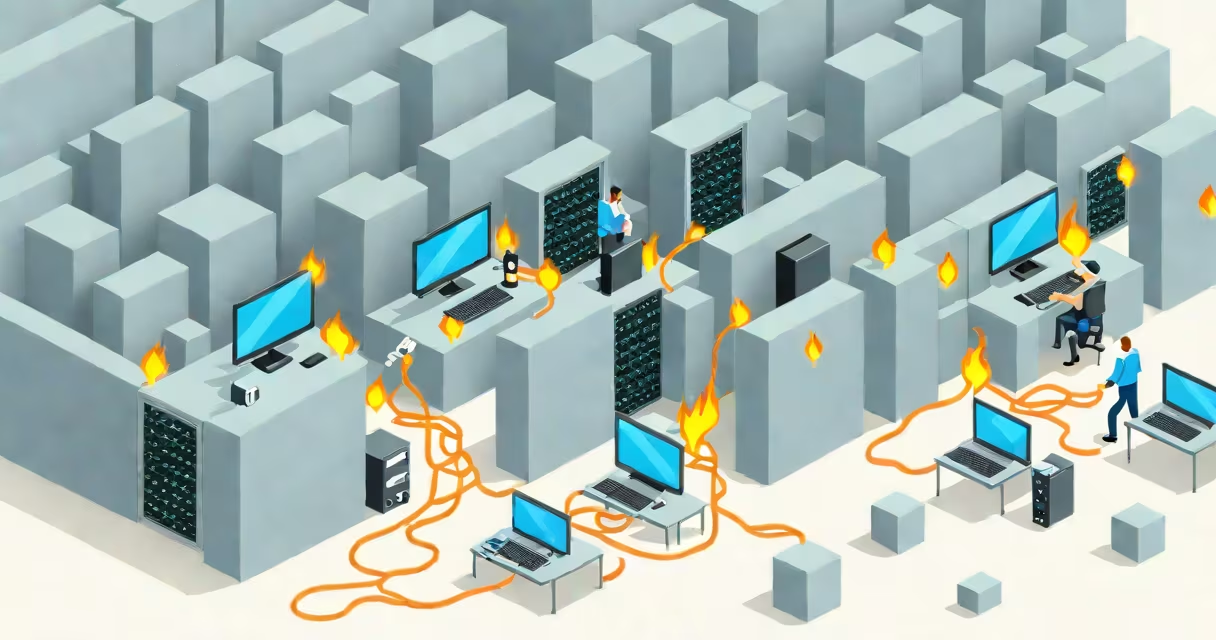
A firewall in network security is a system that monitors and controls incoming and outgoing network traffic based on predefined security rules. It acts as a barrier between trusted internal networks and untrusted external sources like the internet, preventing unauthorized access and potential threats.
Firewalls operate at the network perimeter, analyzing data packets as they enter or leave a network. They evaluate each packet against a set of rules-such as source IP address, destination port, protocol type-and decide whether to allow or block it. This filtering process stops malware, hackers, and other cyber threats from infiltrating protected systems.
Modern firewalls can be hardware-based, software-based, or cloud-based. A hardware firewall typically sits between a router and a network switch, protecting entire office networks. Software firewalls run on individual devices, such as laptops or servers, offering endpoint-specific control. Cloud firewalls secure virtual networks in data centers and public clouds.
When data travels across a network, it's broken into small units called packets. Each packet contains headers with metadata like source and destination addresses, port numbers, and protocol type (e.g., TCP or UDP). A firewall inspects these headers before deciding whether to forward or drop the packet.
For example, if a device on your local network tries to connect to port 80 (used for HTTP web traffic) from an unknown external IP, the firewall checks whether that connection is permitted by its rule set. If not, it drops the packet and may log the event. If allowed, the packet passes through.
Advanced firewalls go beyond basic packet filtering. New firewalls (NGFWs) inspect the actual payload of packets-not just headers-to detect known malware signatures, suspicious behavior patterns, or encrypted threats. They integrate intrusion prevention systems (IPS), application awareness, and deep packet inspection to stop sophisticated attacks.
Firewalls differ in architecture and function. The most common types are:
| Type | Function | Use Case |
|---|---|---|
| Packet-Filtering Firewall | Checks packet headers only | Basic protection for small networks |
| Circuit-Level Gateway | Verifies TCP handshake completion | Simple authentication layer |
| Stateful Inspection | Tracks active connections and session state | Standard choice for enterprise networks |
| Application-Level Gateway (Proxy) | Intercepts and inspects traffic at the application layer | High security for sensitive services like email or web apps |
| New Firewall (NGFW) | Combines filtering, IPS, and application control | Enterprise and cloud environments |
Each type offers different levels of control and performance. Packet-filtering firewalls are fast but lack context. Stateful inspection firewalls remember ongoing sessions, making them more secure. NGFWs provide deep visibility into traffic, including encrypted streams, and can enforce policies based on user identity, application type, or threat intelligence.
Many assume a firewall alone prevents all cyberattacks. That's incorrect. A firewall stops unauthorized access attempts but doesn't detect malware already inside the network. For example, if an employee clicks a phishing link and downloads ransomware, the firewall won't block the file because it arrived via a permitted channel-like HTTPS traffic on port 443.
Another misunderstanding is that firewalls are always visible. In reality, many are invisible to users. A home router often includes a built-in firewall that operates silently. You don't see it, but it filters traffic before it reaches your devices.
Consider a small business using a consumer-grade router with a default firewall. The router blocks unsolicited inbound traffic from the internet-protecting against port scans and brute-force login attempts. But if an attacker gains access through a compromised employee email, the firewall won't stop lateral movement within the network. This shows why firewalls must be part of a layered defense strategy.
In 2021, a healthcare provider in the U.S. experienced a ransomware attack that bypassed their perimeter defenses. The breach began when a staff member opened a malicious email attachment. The malware spread rapidly across internal systems, encrypting patient records.
Post-incident analysis revealed that the organization had a properly configured firewall, but it was only filtering outbound traffic based on port and IP rules. It didn't inspect payloads or detect unusual internal communication patterns. After the incident, they upgraded to a new firewall with sandboxing and behavioral analytics. This new firewall flagged the malware's command-and-control communications-originating from internal machines-by recognizing abnormal data flows and known malicious domains.
This case illustrates that a firewall is not a magic shield. Its effectiveness depends on configuration, integration with other tools, and continuous monitoring. According to the National Institute of Standards and Technology (NIST), firewalls should be part of a defense-in-depth model that includes endpoint protection, regular patching, and user training.
Firewalls are not the same as antivirus software. Antivirus detects and removes malware on endpoints. Firewalls prevent unauthorized network access. Using both is essential-firewalls stop threats from entering, antivirus removes those that slip through.
A lesser-known fact: firewalls can be bypassed by tunneling. Attackers sometimes embed malicious traffic inside legitimate protocols like DNS or HTTP. These tunnels evade traditional packet filters because the outer packet appears normal. NGFWs with deep inspection capabilities can detect anomalies in protocol usage, such as unusually large DNS queries or high-frequency requests to rare domains.
Also, firewalls do not protect against insider threats. An employee with valid credentials can bypass firewall rules entirely. Access control policies, logging, and monitoring are needed to detect misuse. The Center for Internet Security (CIS) recommends combining firewalls with identity and access management (IAM) systems for stronger protection.
Start with a clear security policy. Define which services are allowed, who can access them, and under what conditions. Apply the principle of least privilege-only permit necessary traffic.
Regularly review firewall rules. Over time, rules accumulate. Unused or redundant entries increase complexity and risk misconfiguration. Tools like rule optimization scanners can identify outdated rules and suggest removals.
I once managed a firewall for a university department. We discovered a rule allowing inbound SSH access from any IP address. It was added years ago during a temporary project and never removed. When we audited it, we found it had been exploited twice in the past six months. Removing the rule eliminated the exposure. This experience reinforced that even well-intentioned rules can create vulnerabilities if not maintained.
For organizations managing multiple networks, consider segmenting traffic with firewalls between zones-such as between the corporate network, DMZ (demilitarized zone), and guest Wi-Fi. This limits lateral movement if one zone is compromised.
A firewall in network security is a critical component of any defensive infrastructure. It enforces access control, filters malicious traffic, and forms the foundation of network protection. However, it must be properly configured, regularly updated, and integrated with other security layers.