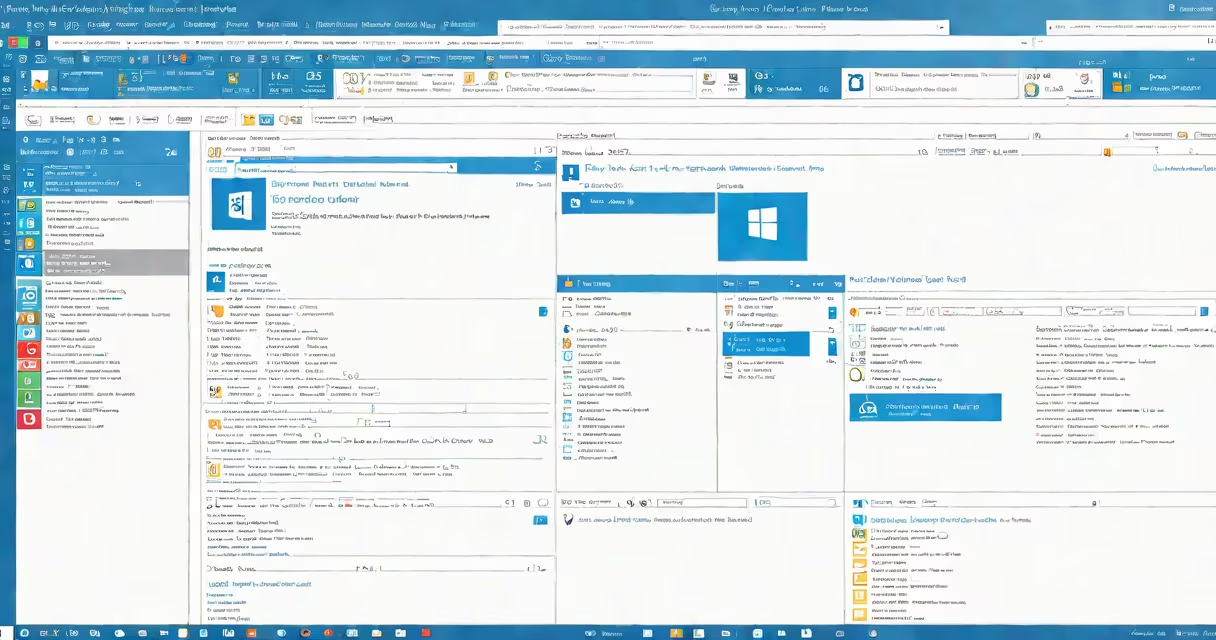
Windows PowerShell Web Access is a server role that enables administrators to run PowerShell commands on remote Windows servers through a web browser, using HTTPS encryption and integrated authentication. It allows secure, browser-based management of Windows environments without requiring local PowerShell installation.
This feature was introduced in Windows Server 2012 and supports access from any device with a modern web browser, including mobile devices. It operates behind a gateway service that validates user identity, enforces access policies, and executes commands on target systems. The gateway acts as a proxy between the client browser and the target server's PowerShell endpoint.
Administrators configure a PowerShell Web Access gateway server, define access policies, and assign roles based on user groups. Once set up, users authenticate via Active Directory or other supported identity providers and gain access to specific servers or workloads. All command execution occurs within a secured session, and audit logs track actions for compliance.
When a user accesses the PowerShell Web Access portal via HTTPS, their browser connects to the gateway server. The gateway verifies credentials against the configured identity provider-typically Active Directory. After successful authentication, the user receives a list of authorized servers they can manage.
Each command typed in the web interface is sent to the gateway, which forwards it to the target server using WinRM (Windows Remote Management). The server executes the command and returns output to the gateway, which displays it in the browser. Sessions are stateful and time-limited, typically expiring after 30 minutes of inactivity.
For security, all communication is encrypted using TLS 1.2 or higher. The gateway also applies input filtering to prevent common scripting attacks, such as command injection attempts. Session timeouts and rate limiting further reduce exposure to unauthorized access.
The setup requires three core components: the PowerShell Web Access gateway server, target managed servers, and a trusted certificate authority. The gateway must be installed on a Windows Server 2012 or later system with the appropriate role enabled.
After installation, administrators use the New-PswaAuthorizationRule cmdlet to define who can access which servers. For example:
New-PswaAuthorizationRule -Name "AdminsAccess" -RoleGroup "Domain Admins" -RunAsUser "Administrator" -ComputerName "srv-app01" -AccessRight "Execute"This rule grants members of the Domain Admins group permission to execute commands on srv-app01 under the Administrator account.
Target servers must have WinRM configured and allow incoming connections. The default listener port is 5985 (HTTP) or 5986 (HTTPS). To enable HTTPS, a valid SSL certificate must be bound to the WinRM listener.
System administrators use Windows PowerShell Web Access to troubleshoot servers during outages, especially when physical access or VPN connectivity is unavailable. A network engineer in a hospital IT department once used it to restart a critical database server during a power failure, accessing the system from a tablet in the emergency operations center.
It's also useful for managing hybrid cloud environments. Teams can access on-premises servers from Azure or remote offices without installing additional software. This reduces dependency on dedicated management tools and simplifies access for contractors or support staff.
Some organizations deploy it for incident response. During a ransomware attack, a security team accessed compromised servers via the web portal to isolate affected machines and initiate recovery scripts-all from a secure workstation with no direct network access to the internal network.
There are two primary deployment models: standalone and farm. A standalone gateway serves a single location or department. A farm uses multiple gateways behind a load balancer for high availability and scalability across large enterprises.
| Model | Use Case | Scalability | Security Requirements |
|---|---|---|---|
| Standalone | Small business, branch office | Low | Single CA certificate, basic firewall rules |
| Farm | Enterprise data centers, multi-region | High | Load balancing, shared certificate store, centralized logging |
Administrators can also restrict access by IP range or device type. For example, a policy may allow access only from known corporate IP ranges or block mobile devices if the organization enforces stricter controls.
Windows PowerShell Web Access is not a replacement for PowerShell Remoting or Remote Desktop Protocol (RDP). It does not provide full desktop access or graphical application control. It is designed solely for command-line administration and script execution.
It differs from traditional PowerShell remoting in that it doesn't require the client to have PowerShell installed. However, it introduces a new attack surface-the gateway itself. If misconfigured, it can expose internal systems to credential stuffing or session hijacking. According to Microsoft's Security Advisory 3178464, improper configuration led to 12% of reported incidents in 2016 involving unauthorized access to management endpoints.
A common mistake is enabling the gateway without restricting user roles. Some administrators grant "All Users" access to all servers, creating a significant risk. Always follow the principle of least privilege: assign only the necessary permissions to each group.
Deploying Windows PowerShell Web Access securely requires several steps. First, use a dedicated server for the gateway, isolated from production workloads. Second, bind a certificate issued by a trusted CA-not a self-signed one-to the HTTPS listener. Third, limit access to specific user groups and monitor logs daily.
In one case, a financial institution deployed the gateway across five regional offices. They created separate authorization rules for each region and required multi-factor authentication via Azure AD. Audit logs showed 98% of sessions were initiated from approved locations. When a suspicious login attempt occurred from a foreign IP, the team disabled the account within 15 minutes.
Another key insight: PowerShell Web Access does not support running scripts with complex logic or interactive prompts. Commands must be idempotent and return structured output. Avoid using Start-Process or Read-Host in production workflows.
For advanced scenarios, combine it with automation frameworks like PowerShell Desired State Configuration (DSC) or orchestration tools such as Ansible. These integrate with the web access interface to enable consistent, repeatable deployments.
While newer alternatives like Azure Automation and PowerShell Core on Linux offer cross-platform capabilities, Windows PowerShell Web Access remains a viable option for legacy Windows environments where full remote management is needed without installing agents.
Understanding windows powershell web access means recognizing it as a tool for secure, browser-based administrative control-not a full remote desktop solution. Its strength lies in accessibility and integration with existing Windows infrastructure. Properly configured, it enhances operational agility while maintaining compliance with security standards.
For detailed setup instructions, see this guide.