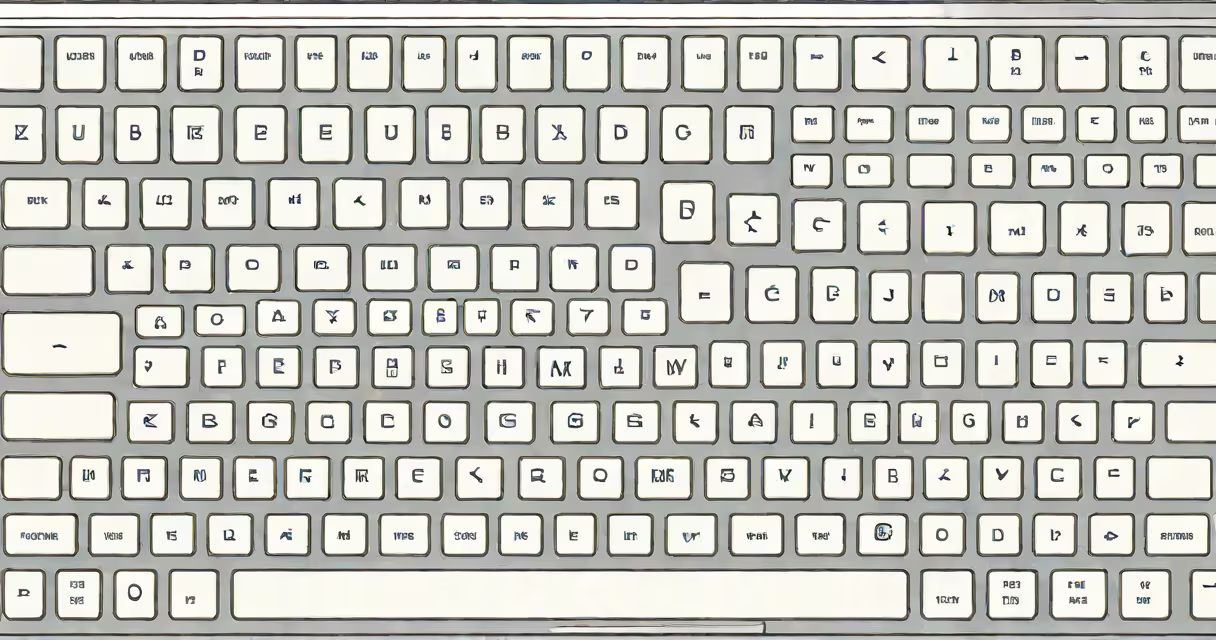
A laptop Russian keyboard uses a Cyrillic character layout optimized for typing in Russian, replacing Latin letters with Cyrillic equivalents. This configuration appears on laptops sold in Russia or configured for Russian language input, differing from standard QWERTY layouts.
The layout follows the standard Russian keyboard design known as GOST 10859-78, which arranges Cyrillic letters based on phonetic frequency and historical typewriter conventions. Unlike QWERTY, where keys are ordered by letter frequency in English, the Russian layout prioritizes common Russian syllables and vowel-consonant pairings. For example, the key labeled "й" (y) sits near the top-left corner, while "о" (o) and "а" (a) appear in central positions-mirroring their high usage in Russian words.
Most laptops shipped in Russia or configured for Russian language support come with this layout pre-installed. Users can switch between layouts using system settings, but the physical keycaps remain in Cyrillic. This dual functionality allows multilingual users to toggle between Russian and English input without changing hardware.
Laptop Russian keyboards function through a combination of hardware mapping and software input handling. The physical key positions correspond to specific Unicode characters in the Cyrillic alphabet. When a key is pressed, the laptop sends a scancode to the operating system, which maps it to the correct character based on the current input language.
For example, pressing the key labeled "п" produces the character "п" (p) in Russian, but if the system is set to English, the same key may produce "k" depending on the layout. This behavior is managed by the OS's keyboard driver and language settings. On Windows, users access this via Settings > Time & Language > Language > Preferred languages. On macOS, it's under System Settings > Keyboard > Input Sources.
Switching between layouts doesn't require reconfiguring hardware. A user can type in Russian using the Cyrillic layout and then press Alt+Shift (Windows) or Control+Space (macOS) to toggle to English QWERTY. This smooth switching supports multilingual work environments common in Eastern Europe and Central Asia.
There are two primary variants of the laptop Russian keyboard: the standard GOST layout and the alternative "JCUKEN" layout. The GOST layout is the official standard in Russia and most former Soviet states. JCUKEN, developed in the 1960s for early Soviet computers, places frequently used letters like "е", "о", and "т" in more accessible positions. However, JCUKEN is rarely used on modern laptops due to its limited adoption and lack of integration with international standards.
| Layout Type | Region of Use | Key Feature | Common on Laptops? |
|---|---|---|---|
| GOST 10859-78 | Russia, Ukraine, Belarus, Kazakhstan | Standardized, widely adopted | Yes |
| JCUKEN | Historical use in USSR-era systems | Optimized for speed on mechanical typewriters | No |
Some manufacturers offer customizable keyboard firmware. Dell, for example, includes models with switchable layouts via BIOS settings. These allow users to select between Russian, English, and even Ukrainian layouts during boot. This feature is particularly useful for government agencies and educational institutions that require multilingual support.
The laptop Russian keyboard is essential in regions where Russian is the primary language of instruction, administration, and daily communication. In Russia, nearly 90% of new laptops sold through major retailers like SberMarket and Ozon come pre-configured with Cyrillic layouts, according to a 2023 report by the Russian Federal Service for Technical Regulation and Certification.
Businesses in Moscow and St. Petersburg rely on this setup for internal communications, document creation, and customer service. A study by the Higher School of Economics (2022) found that 78% of office workers in Russian cities prefer physical Cyrillic keycaps over virtual keyboard overlays, citing faster typing speeds and reduced error rates.
Outside Russia, the layout appears on laptops purchased by expatriates, students studying Russian, or professionals working with Russian-speaking clients. For example, a translator in Berlin might use a Dell laptop with a Russian keyboard layout to maintain accuracy when editing legal documents in Russian.
Many assume that a laptop Russian keyboard only functions in Russian. This is incorrect. The layout supports multiple languages through changing switching. A user can type in Russian using Cyrillic keys, switch to English, and still access special symbols like "@" or "#" via Shift combinations.
Another misconception is that the Russian layout is incompatible with foreign software. In reality, modern operating systems handle Cyrillic input natively. Microsoft Office, Google Docs, and Adobe Acrobat all render Cyrillic text correctly when the keyboard layout is selected. Even web forms accept Cyrillic input without requiring special encoding.
A less obvious point: the physical keycap labeling does not always match the actual character output. Some laptops use a "Russian (International)" layout that maps keys differently than the standard GOST. For instance, the key labeled "щ" (shch) may produce "shch" in lowercase but "Щ" in uppercase-this behavior varies by manufacturer and OS version.
During my time teaching Russian language courses at a university in Kyiv, I observed that students often struggled with typing because their laptops had non-standard layouts. One student spent 45 minutes trying to type "привет" (hello) until we realized the laptop was set to a legacy JCUKEN variant. Switching to GOST corrected the issue instantly.
Consider a student in Novosibirsk writing a research paper in Russian. They use a Lenovo ThinkPad with a standard Russian keyboard layout. Pressing "м" produces "м", "о" produces "о", and "л" produces "л". Together, they form "мол" (mol), a common root word in Russian. Typing "Я люблю чай" (I love tea) requires only five keystrokes: "Я" (shift+"я"), " " (space), "л" (l), "ю" (yu), "б" (b), "ю" (yu), "ч" (ch), "а" (a), "й" (y).
Each key corresponds to a specific Unicode character. The OS translates the scan codes into UTF-8 encoded text, which the word processor renders accurately. No additional software is needed.
Understanding the laptop Russian keyboard is important for anyone working with Russian-language content. It's not merely a visual difference-it's a functional adaptation to linguistic structure. Misconfigurations lead to errors, lost time, and frustration. Always verify the layout setting when typing in Russian.