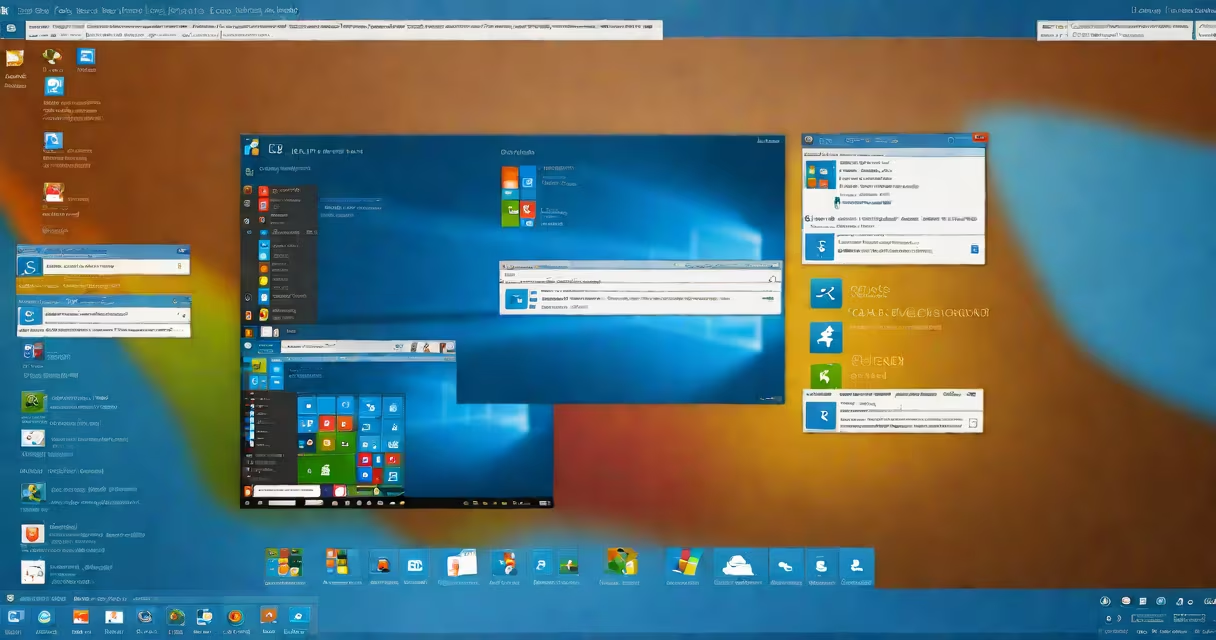
Windows 7 operating system is a desktop operating system developed by Microsoft, released to manufacturing on October 22, 2009, and widely adopted for personal computers due to its improved performance, visual design, and reliability over previous versions.
It runs on x86 and x64 architectures and supports a range of hardware from the late 2000s. The OS introduced a redesigned taskbar with live previews, jump lists, and pinning capabilities. It also enhanced file management through the redesigned Windows Explorer and added support for touch input on compatible devices.
Microsoft ended extended support for Windows 7 on January 14, 2020. After that date, no security updates, patches, or technical assistance were provided. This makes systems running Windows 7 vulnerable to malware and exploits targeting unpatched flaws.
The core function of Windows 7 is to manage hardware resources-memory, storage, CPU-and provide a consistent interface for applications and users. It uses a kernel-based architecture with a hybrid monolithic/hybrid microkernel design, balancing performance and modularity.
When a user boots the system, the Windows Boot Manager loads the Windows NT kernel, which initializes drivers and services. The graphical shell, Windows Explorer, then launches the desktop environment, including the Start menu, taskbar, and desktop icons.
Applications run in user mode, isolated from the kernel. This prevents crashes in one program from affecting the entire system. The User Account Control (UAC) feature prompts for permission when changes require administrative rights, reducing accidental system modifications.
Microsoft released five editions of Windows 7, each tailored to different user needs and hardware capabilities:
| Edtion | Target Audience | Key Features | System Requirements |
|---|---|---|---|
| Starter | Low-end netbooks | Limited to 32-bit, no Aero effects, no HomeGroup | 1 GHz processor, 1 GB RAM, 15 GB free space |
| Home Basic | General home users | Basic networking, no advanced themes or BitLocker | 1 GHz, 1 GB RAM, 16 GB space |
| Home Premium | Home users wanting multimedia features | Aero Glass, Media Center, DVD burning | 1 GHz, 2 GB RAM, 20 GB space |
| Professional | Business users, power users | Domain joining, BitLocker, Remote Desktop | 1 GHz, 2 GB RAM, 20 GB space |
| Enterprise | Large organizations with volume licensing | AppLocker, DirectAccess, BranchCache | 1 GHz, 2 GB RAM, 20 GB space |
Home Premium and Professional were the most commonly installed editions. Enterprise was available only through volume licensing agreements with corporations.
Many users believe Windows 7 is still secure because they've never experienced a crash or virus. This is false. Without updates, vulnerabilities remain exposed. A 2021 report by the Cybersecurity and Infrastructure Security Agency (CISA) noted that 68% of ransomware infections in small businesses occurred on unsupported systems, many of which ran Windows 7.
Another misconception is that Windows 7 runs faster than newer systems. While it requires less memory and processing power, modern software increasingly demands updated APIs and security protocols. Applications like Adobe Photoshop, Zoom, and Microsoft Office 365 no longer support Windows 7, limiting functionality.
Some assume upgrading to Windows 10 or 11 is too costly or complex. However, Microsoft offers free tools like the Windows 10 Upgrade Assistant and migration guides. In 2022, a survey by Spiceworks found that 73% of IT departments had successfully migrated from Windows 7 to Windows 10 within six months using automated deployment tools.
In 2018, the UK National Health Service (NHS) reported that 40% of its clinical systems still ran Windows 7. After a major cyberattack in 2019, the NHS accelerated migration efforts and completed the transition by 2021. The move reduced attack surface and improved compliance with GDPR regulations.
A small accounting firm in Portland, Oregon, continued using Windows 7 until 2023. They ran QuickBooks Pro and a custom tax preparation tool. When the firm tried to install a new payroll update, the installer failed due to missing cryptographic libraries. After migrating to Windows 10, the update installed correctly, and the firm avoided a month-long delay during tax season.
One non-obvious fact: Windows 7 includes a built-in backup utility called Windows Backup and Restore. It can create system images and restore them to identical hardware. This feature was critical for disaster recovery in small businesses before cloud solutions became standard.
Despite end-of-life status, Windows 7 persists in industrial control systems, medical devices, and embedded kiosks. These environments often rely on legacy software that hasn't been updated. For example, some hospital infusion pumps and retail point-of-sale terminals still run Windows 7 because their firmware doesn't support newer OS versions.
Manufacturers like Dell and HP continue to sell refurbished PCs with Windows 7 pre-installed. These machines are marketed as "budget-friendly" or "for basic tasks." However, using them without a firewall, antivirus, and network isolation increases risk.
Running Windows 7 on virtual machines is common in testing environments. Developers use it to simulate older client configurations. But even in VMs, exposure to external networks creates attack vectors. A 2020 study by Kaspersky Lab found that 32% of malware samples targeting Windows 7 exploited outdated TLS implementations.
Windows 7 is not a mobile operating system. It lacks touch-first design elements found in Windows 8 and later. It does not support modern app frameworks like UWP (Universal Windows Platform), which are required for apps distributed via the Microsoft Store.
It is also not equivalent to Disk Operating System (DOS). DOS is a command-line-only OS from the 1980s. Windows 7 uses a GUI and multitasking kernel. While Windows 7 can run DOS programs via compatibility mode, it cannot boot from a DOS disk or operate without a graphical environment.
I once spent a weekend troubleshooting a Windows 7 machine that wouldn't start after a failed driver update. The error message read "INACCESSIBLE_BOOT_DEVICE." I booted from a Windows 7 installation USB, accessed the Recovery Environment, and ran chkdsk /f /r. The repair restored the boot loader and brought the system back online. This experience confirmed that even outdated systems can be salvaged with manual intervention.
Microsoft officially ended support for Windows 7 on January 14, 2020. Since then, no security patches have been issued. Any device still running it is at risk of exploitation. Organizations using Windows 7 must either migrate to a supported OS or isolate the system from networks entirely.