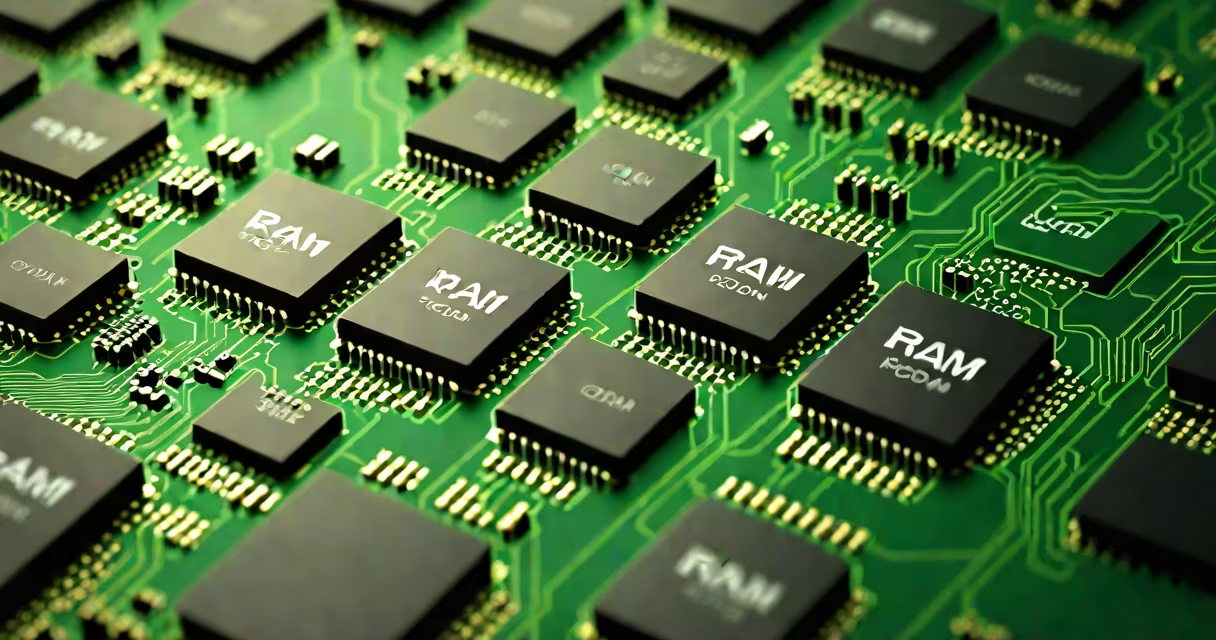
RAM stands for Random Access Memory, and ROM stands for Read-Only Memory. RAM is volatile memory used for temporary data storage during active computing tasks. ROM is non-volatile memory that stores firmware and boot instructions permanently.
RAM allows quick access to data regardless of location within the memory range. This enables the CPU to retrieve instructions and data in near-uniform time, critical for running applications smoothly. When a program launches, its code and active data load into RAM. Power loss erases all data stored in RAM.
ROM holds essential system software such as BIOS or UEFI firmware. These programs initialize hardware during startup and manage low-level operations. Unlike RAM, ROM retains data even when power is off. Modern systems often use flash memory-a type of ROM-for updates, allowing limited rewriting while preserving integrity.
RAM operates on a principle called "random access," meaning any memory cell can be accessed directly without reading preceding cells. This contrasts with sequential access storage like magnetic tapes. In practice, RAM chips are organized in rows and columns, with address lines selecting specific locations. Data flows through data buses to and from the CPU.
For example, when you open a web browser, the operating system loads the browser's executable file into RAM. The CPU fetches instructions from RAM, executes them, and processes input. As you browse, new pages, images, and scripts continuously load into RAM. Closing the browser frees that space. Without sufficient RAM, performance degrades due to excessive swapping to slower storage.
ROM functions differently. It contains pre-programmed data written during manufacturing. A motherboard's BIOS chip, for instance, holds boot code that checks hardware components and loads the OS from disk. This process happens automatically each time the device powers on. Because ROM cannot be altered under normal conditions, it protects against accidental corruption of important system routines.
There are several forms of RAM and ROM, each suited to different roles:
| Type | Full Form | Use Case | Volatility |
|---|---|---|---|
| DRAM | Changing Random Access Memory | Main system memory in PCs and servers | Yes |
| SRAM | Static Random Access Memory | CPU cache, high-speed buffers | Yes |
| EEPROM | Electrically Erasable Programmable Read-Only Memory | Configuration settings in embedded devices | No |
| Flash Memory | Non-volatile storage using floating-gate transistors | USB drives, SSDs, mobile phone storage | No |
DRAM dominates desktop and laptop systems due to cost-effectiveness and density. However, it requires constant refreshing to maintain charge levels. SRAM is faster and doesn't need refreshing but consumes more power and costs more per bit. It's used in CPU caches where speed is critical.
Flash memory, though technically a form of ROM, supports multiple writes. This makes it ideal for solid-state drives (SSDs) and USB flash drives. Flash memory wears out over time-typically lasting 1,000 to 10,000 write cycles per cell-but wear leveling algorithms distribute writes evenly across blocks to extend lifespan.
Many assume ROM means "read-only forever." That's incorrect. Modern systems use EEPROM and flash memory, which allow selective rewriting. For example, updating your smartphone's operating system involves rewriting parts of the ROM area. The term "read-only" refers to protection against unintended changes, not absolute immutability.
Another misconception is that RAM is always faster than ROM. While RAM has lower latency for data retrieval, ROM is optimized for reliability and durability. A typical DDR4 RAM module accesses data in 10-20 nanoseconds. A flash memory chip may take 50-100 nanoseconds for a read, but it survives years without power and resists physical damage better.
A key distinction lies in purpose: RAM handles changing workloads; ROM handles static system control. You can't run an operating system from ROM alone because it lacks the capacity and flexibility needed for multitasking. But you can't boot a computer without ROM-it provides the initial instruction set that loads the OS from disk.
Consider turning on a laptop. The power-on sequence begins with the CPU executing code from ROM. The BIOS or UEFI firmware performs a POST (Power-On Self Test), checking RAM, GPU, keyboard, and storage. Once validated, it locates the bootloader on the hard drive or SSD.
The bootloader then loads the kernel into RAM. Only after this step does the operating system begin execution. During runtime, the OS uses RAM for active processes-web browsing, video editing, game rendering. All data processed in real time resides in RAM. When you shut down, the OS saves unsaved work to persistent storage, leaving RAM empty.
I once replaced a failing laptop battery and noticed the machine wouldn't start. After testing, I discovered the CMOS battery-the small coin-cell powering the RTC and BIOS settings-was dead. Without it, the system couldn't retain BIOS configuration. The ROM still held the boot code, but missing settings prevented proper initialization. Replacing the CMOS battery restored functionality. This demonstrated how ROM and RAM interact in real-world failure scenarios.
The IEEE Standard Dictionary of Electrical and Electronics Terms defines RAM as "a type of semiconductor memory that allows data to be read and written randomly." Similarly, ROM is described as "memory whose contents are fixed at manufacture or programmed during production." These definitions confirm the fundamental roles of both technologies.
According to Intel's 2023 Memory Technology Roadmap, DRAM continues to scale to smaller nodes (down to 1β), improving density and reducing power consumption. Meanwhile, NAND flash memory-used in SSDs and mobile devices-has evolved from 2D to 3D architectures, stacking layers vertically to increase capacity beyond 1TB per die. These advancements reflect ongoing innovation in both RAM and ROM variants.
Understanding ram rom full form clarifies how computers manage data flow. RAM enables responsiveness during active use. ROM ensures stability at startup. Together, they form the foundation of digital device operation.